Leads are automatically added into the raw stage coming from various lead channels such as but not limited to Franchise Opt-in form fills, Facebook ads, and Google ads.

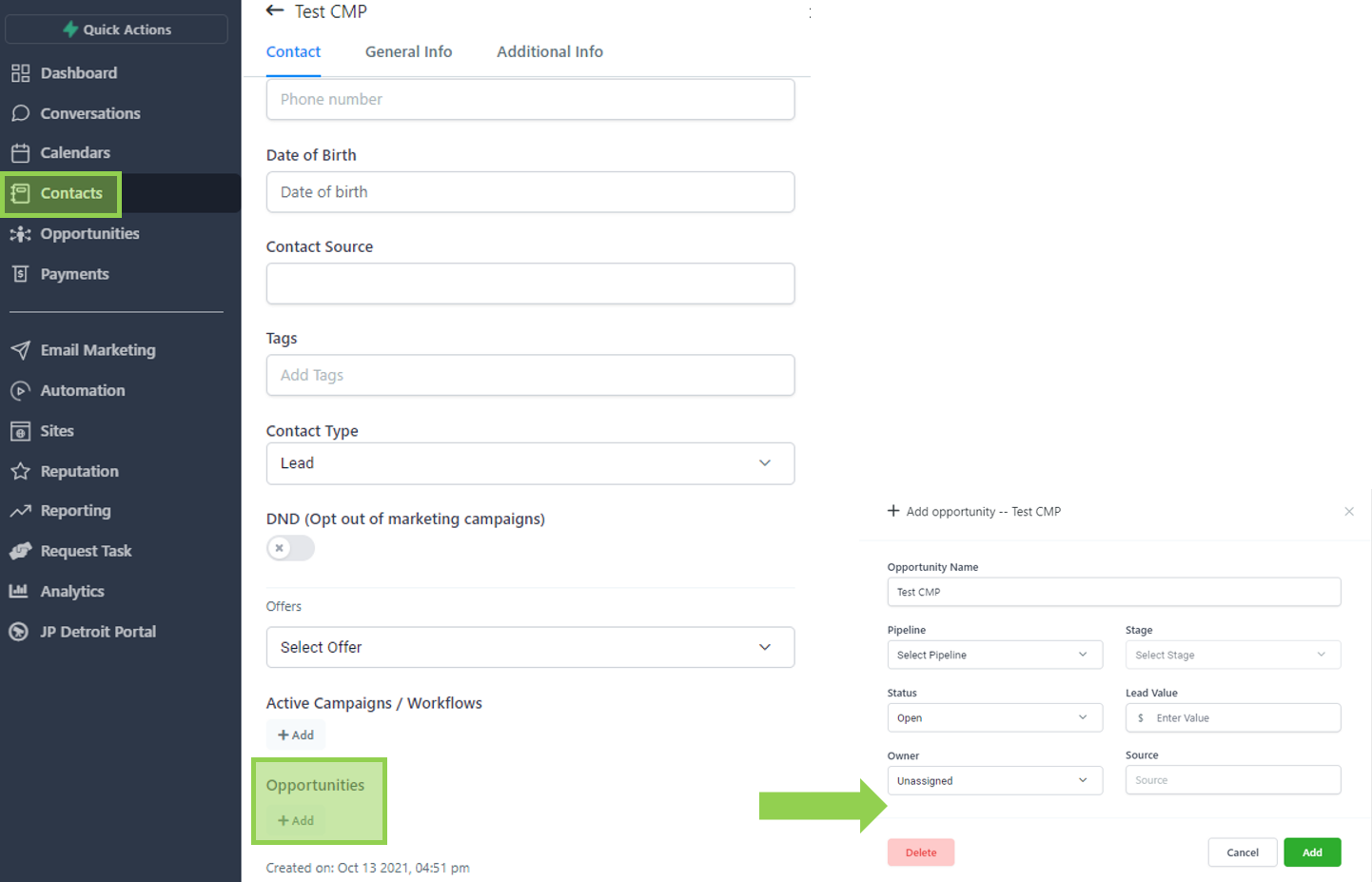
Alternatively, you can also manually create an opportunity by opening the contact record, selecting add under opportunities, and selecting the corresponding pipeline and raw stage.
Leads are automatically removed from this stage as soon as they are progressed to the next stage.
This can happen in two ways:
- Scenario 1: Assigned User manually moves the lead to “ Qualified Lead “ stage
- Scenario 2: Prospect requested for a disclosure meeting.
Will leads automatically be moved to this stage based on a triggered event, or does the lead need to be moved here manually by a sales team member?
This is an automated stage.
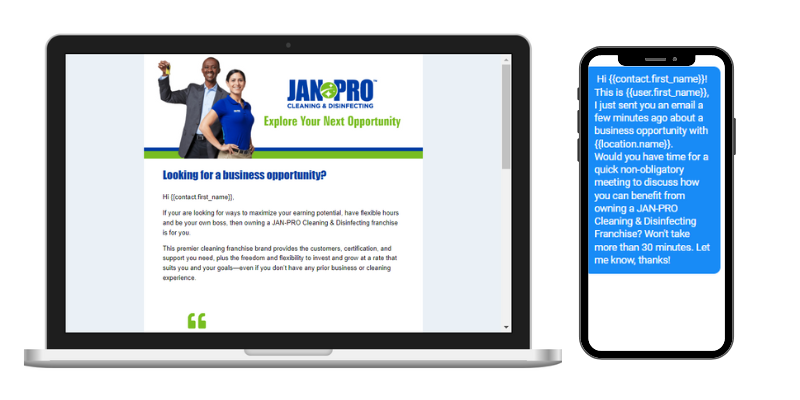
The system automatically broadcasts a series of SMS and emails to the lead on strategic timings that matches your sales cycle. The email messaging is structured to introduce your brand, build trust, differentiate yourself from competitors, and provide answers to FAQs.
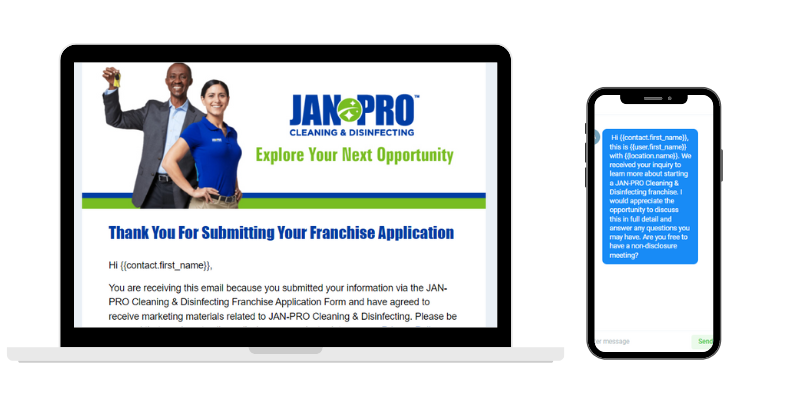
Leads who submitted a franchise application form is automatically added to this stage.

Leads are automatically removed from this stage when a Disclosure Meeting is requested.
Will leads automatically be moved to this stage based on a triggered event, or does the lead need to be moved here manually by a sales team member?
This is an automated stage.
The system automatically sends out two nurture emails to the leads at this stage. The emails are spaced three days apart with the primary Call-to-action of Request a Disclosure Meeting.
The emails are structured to have an organic and personal feel to them as if the sender of the emails is the assigned user and not system-generated. This helps build rapport with the lead.
Leads are automatically added into this stage when a Disclosure Meeting is requested via the online scheduler.

Will leads automatically be moved to this stage based on a triggered event, or does the lead need to be moved here manually by a sales team member?
This is an automated stage.
Appointment confirmation and reminders are sent to the prospect via email and SMS. Internally, the team is also notified when an appointment is requested. Note that the appointment needs to be confirmed in order to trigger the system-generated communications.
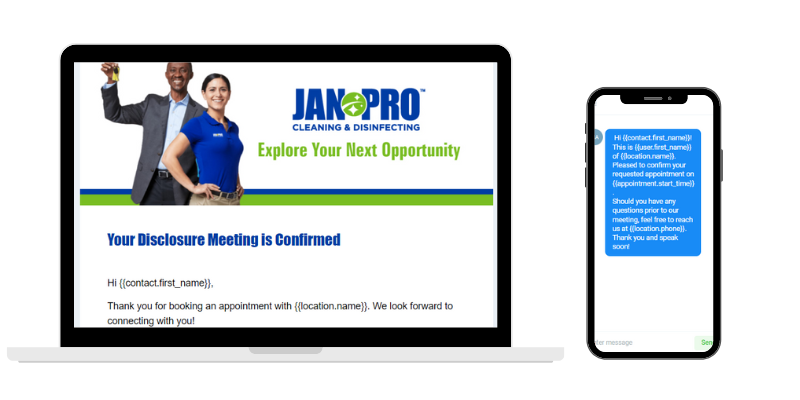
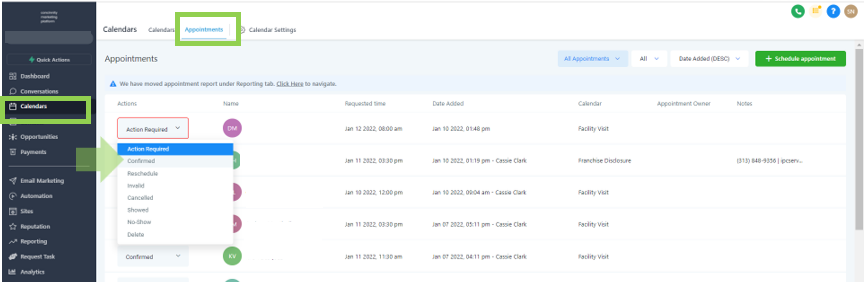
To confirm an appointment, go to calendars, click on appointments, select contact and choose “Confirmed”.
Leads are manually added into this stage by the assigned user as deemed applicable.

Leads are automatically removed from this stage as soon as they are progressed to the next stage.
Will leads automatically be moved to this stage based on a triggered event, or does the lead need to be moved here manually by a sales team member?
This is a manual stage.
There is no automation set up for this stage to avoid interfering with any ongoing conversations between the prospect and the sales team.
Leads are manually added into this stage by the assigned user.

Leads are automatically removed from this stage when a requested Closing Meeting is confirmed.
Will leads automatically be moved to this stage based on a triggered event, or does the lead need to be moved here manually by a sales team member?
This is a manual stage.
A system-generated email is sent to leads on the “Processing” Stage to update the prospective client regarding the status of their application along with an invitation to request for a Closing Meeting.
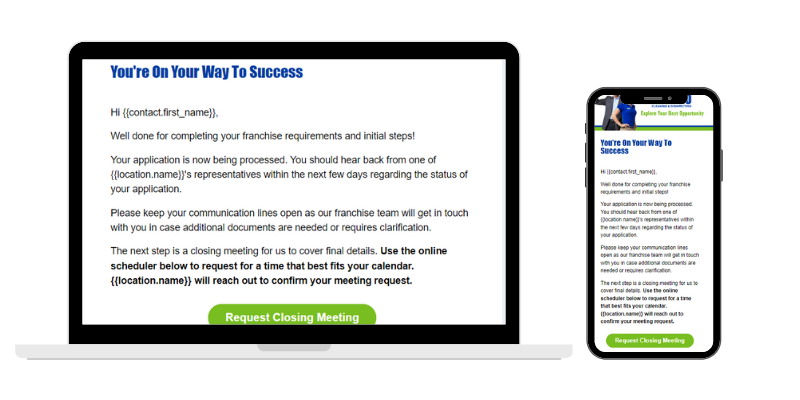
Leads are automatically added into this stage when they request for a Closing Meeting via our online scheduler. Assigned users receive a notification for every meeting booked and are to confirm the appointment to trigger the automation for this stage.

Leads need to be manually removed from this stage.
Is this a manual or automated stage?
Will leads automatically be moved to this stage based on a triggered event, or does the lead need to be moved here manually by a sales team member?
This is an automated stage.
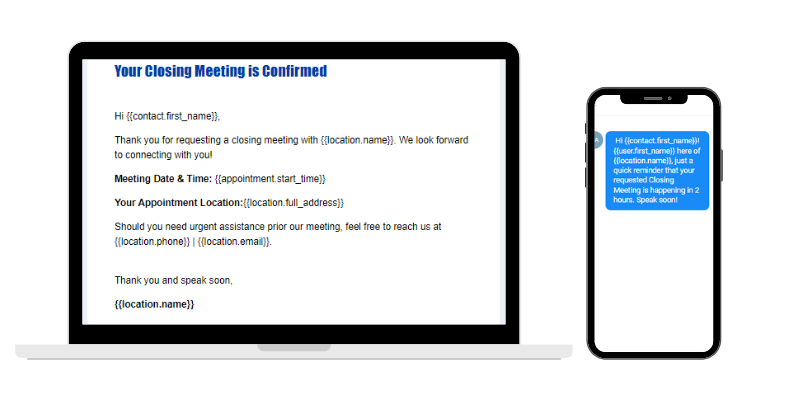
Once the Closing Meeting request is confirmed by the team, meeting confirmation and reminders are sent out to the prospective client via email and SMS.
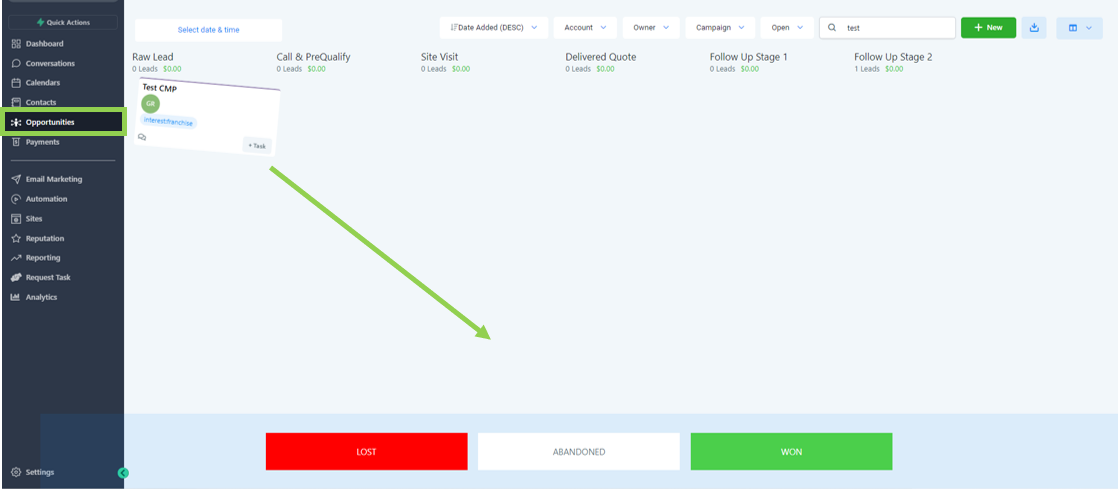
To update the opportunity status, simply go to opportunities, select the opportunity you’d like to update, and drag the lead to either lost, abandoned, or won.
To manually create a contact, go to “ contacts ”, select the plus sign, input the contact details and hit save. 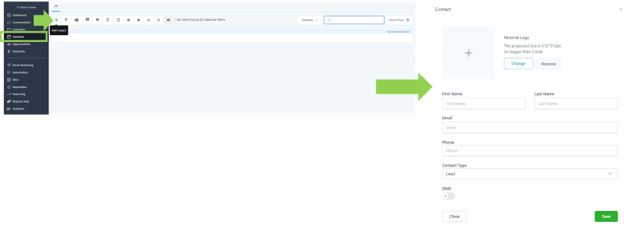
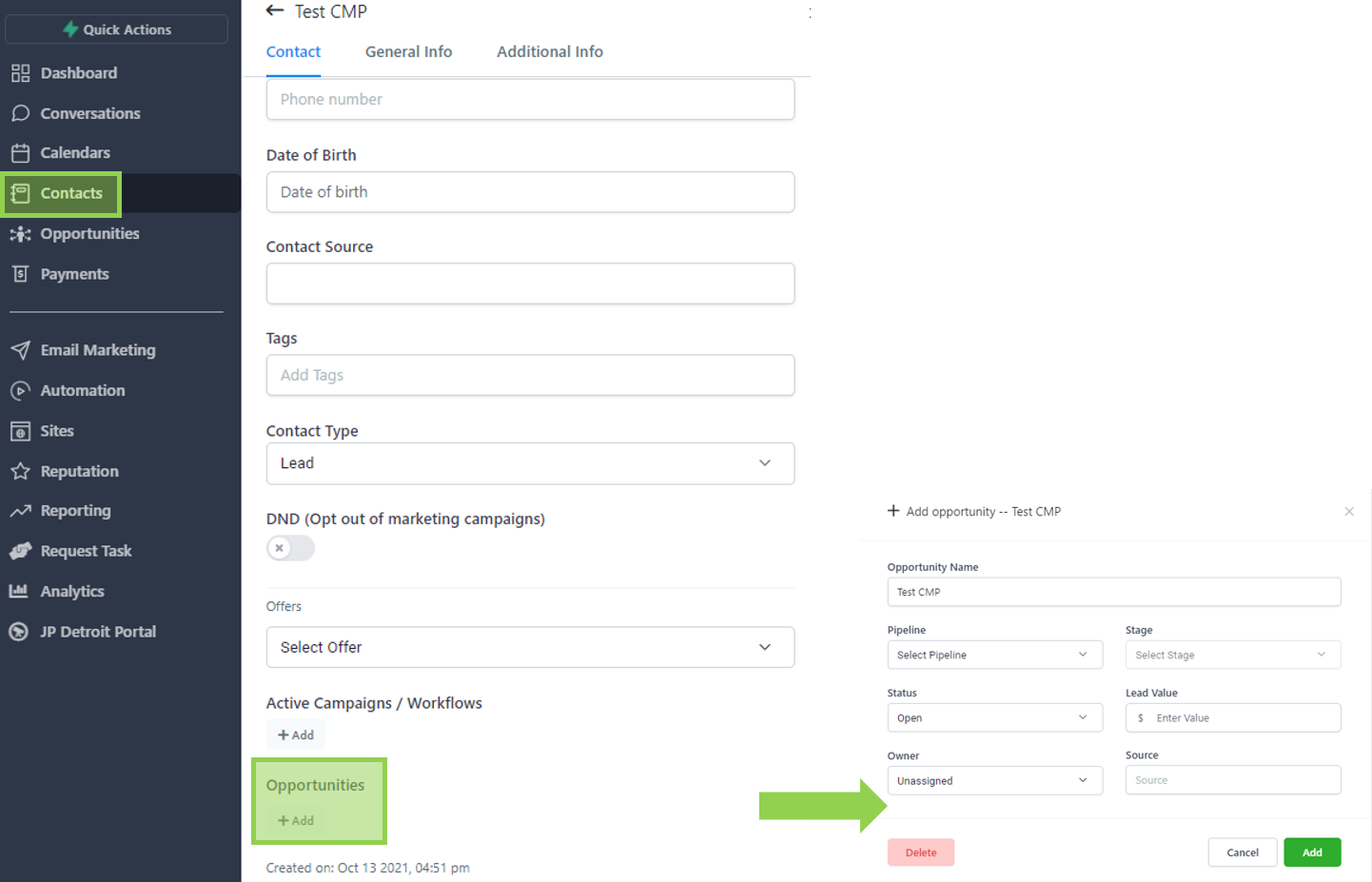
To create an opportunity manually, go to contacts, select the lead you wish to add to the opportunity pipeline, and click “Add” under the Opportunities field.
Once clicked, a pop-up will appear asking you for the corresponding details as shown below.
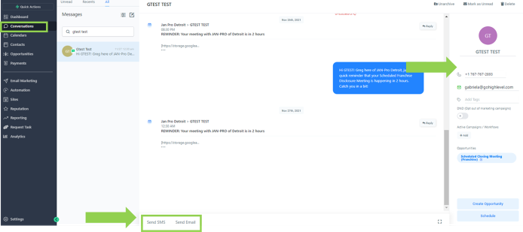
Go to the conversations panel of CMP in order to view and respond to calls, emails, SMS, Facebook messages and GMB reviews.
Alternatively, you can also go to a specific contact to view and respond to these actions.